How to run a quiz on TikTok LIVE
A question, three options and a countdown on screen. Viewers comment A, B or C, and their answers drop into the options as balls. The easiest way to bring a chat stream to life.
Why quiz streams work
Asking questions is the oldest trick for getting comments on a live stream. But when the streamer asks out loud, the answers get lost in the comment feed and nobody sees who got it right. A quiz game puts all of that on screen: the question and options appear in big letters, each answer becomes a ball dropping into that option's box, the correct answer is revealed when time runs out, and everyone who got it right goes on the leaderboard.
The result: even a quiet chat stream picks up comments within a few minutes. Answering takes no gift, just a single letter. That is why a quiz is one of the most effective games for new streamers with few followers, too.
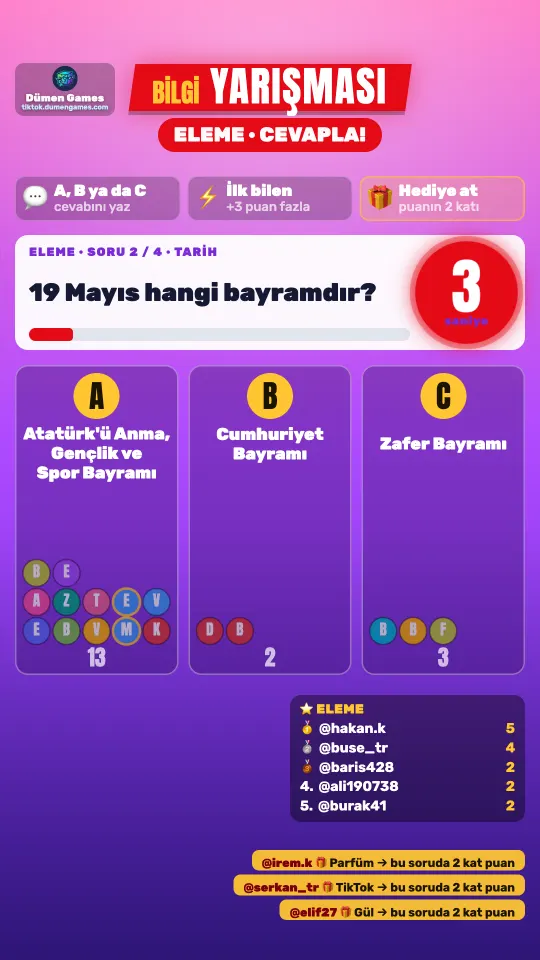
A quiz in screenshots
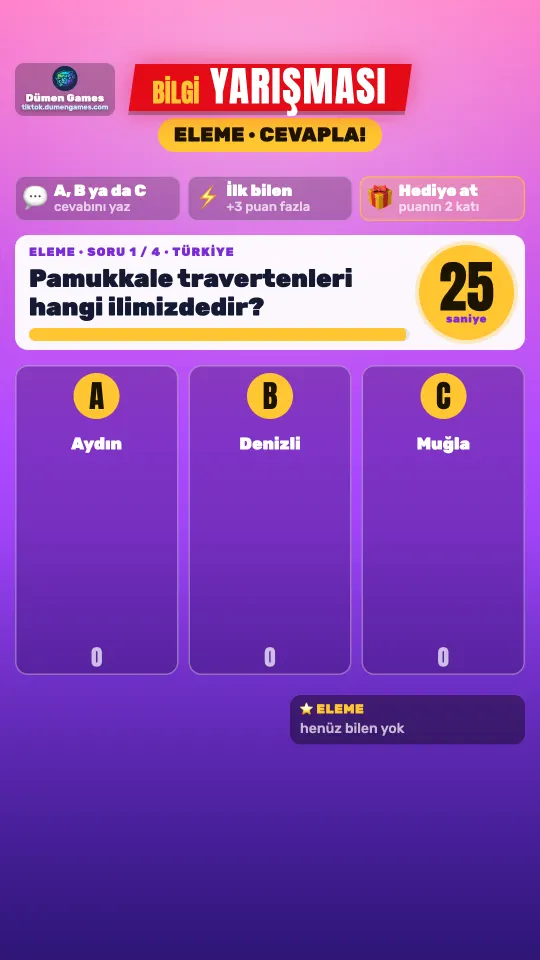
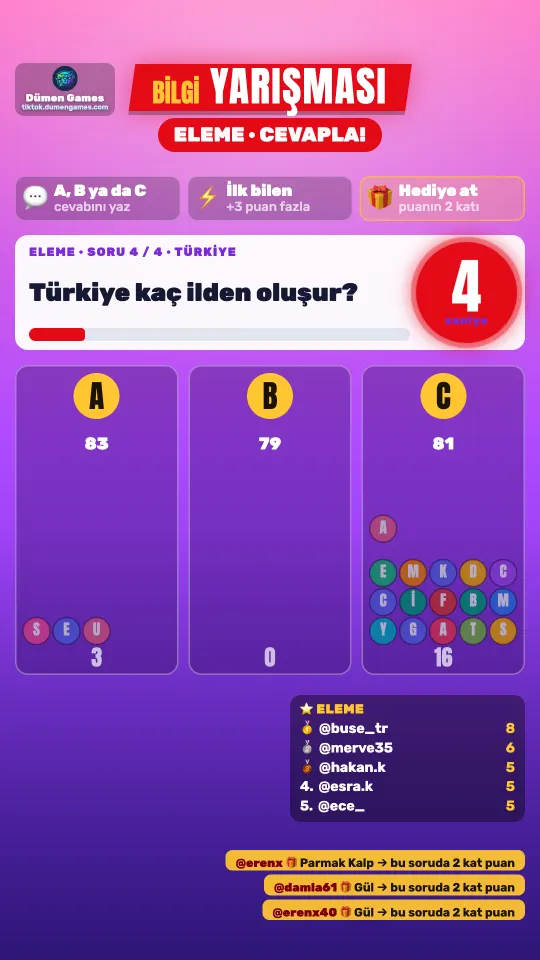
Running a quiz stream, step by step
- Create an account and choose Quiz BattleSign up at tiktok.dumengames.com, enter your TikTok username and choose Quiz Battle from the games.
- Set the question timeThe default is 25 seconds per question; you can set it anywhere from 10 to 60 seconds. Short times work well on busy, fast streams and longer times on chat-focused streams.
- Choose the languageEnglish streams use the English question bank and Turkish streams use the Turkish one.
- Add the game to your stream and goPut the game on stream with LIVE Studio, OBS or your phone (setup guide). The quiz starts rolling with the first answer.
The rules: rounds, joker and points
| What the viewer does | What happens in the game |
|---|---|
| Comments A, B or C (1, 2, 3 or the answer itself also works) | Their answer is recorded and their ball drops into that option's box. Only the first answer counts. |
| Gives the first correct answer | Earns bonus points. |
| Sends a gift | Doubles their points for that question. |
| Sends a gift of 100 coins or more | JOKER: one of the wrong options is removed from the screen. |
The quiz is split into three rounds: qualifier, semi-final and final. The best players from the qualifier move on to the semi-final, and the top three from the semi-final reach the final; in later rounds only their answers count, while everyone else watches and cheers. Moving up a round and becoming champion earn bonus points. The Turkish question bank has over a hundred easy and medium questions on Turkey's cities, history, geography, sports and general knowledge, and English streams use a separate English question bank.
Host it like a game show: 8 tips
- Read the question out loud. You pull in viewers who are only listening and not looking at the screen.
- Comment on the crowd. A line like "Everyone's going for B, are you sure?" does not push people to switch at the last second; it gets them commenting.
- Add a quick fact after the answer. A line like "Pamukkale is in Denizli, and its travertine terraces formed over thousands of years" adds value to the stream.
- Congratulate the fastest player. Call out the viewer with the fastest correct answer by name.
- Rally support for the finalists. Introduce the three finalists and ask viewers to pick a side.
- Explain the joker, but do not push it. Mentioning once that "100 coins or more removes a wrong option" is enough.
- Chat between quizzes. When one quiz ends, a new one starts; fill the short break with chat.
- Remind viewers about the weekly league. Quiz points add up in the same league as the other games.
Start your first quiz
Try Quiz Battle in your browser, or use it on your stream right away.
Frequently asked questions
How do you run a quiz on TikTok LIVE?
You add a quiz game to your live stream. A question and three options appear on screen, viewers answer by commenting A, B or C, and the game automatically scores the correct answers and the fastest player.
Do viewers need to send gifts to answer?
No. Commenting is enough to answer. A gift only doubles their points for that question; 100 coins or more becomes a joker.
What if the same viewer types more than one option?
Only their first answer counts, so typing every option to try your luck does not work.
Can I add my own questions?
For now a ready-made question bank is used. If you want a custom question set, write to us from the "Request a game" section in the streamer panel.
How many questions are there, and do they repeat?
The Turkish bank has over a hundred questions, and they come in random order. On very long streams some questions may repeat.
Can I run the quiz in English?
Yes. When the game language is set to English, a separate English question bank is used.
Can I change the question time?
Yes, it can be set anywhere from 10 to 60 seconds per question. The default is 25 seconds.